 taskMap
For manufactured-home communities
Every lot, line and shutoff, on one map.
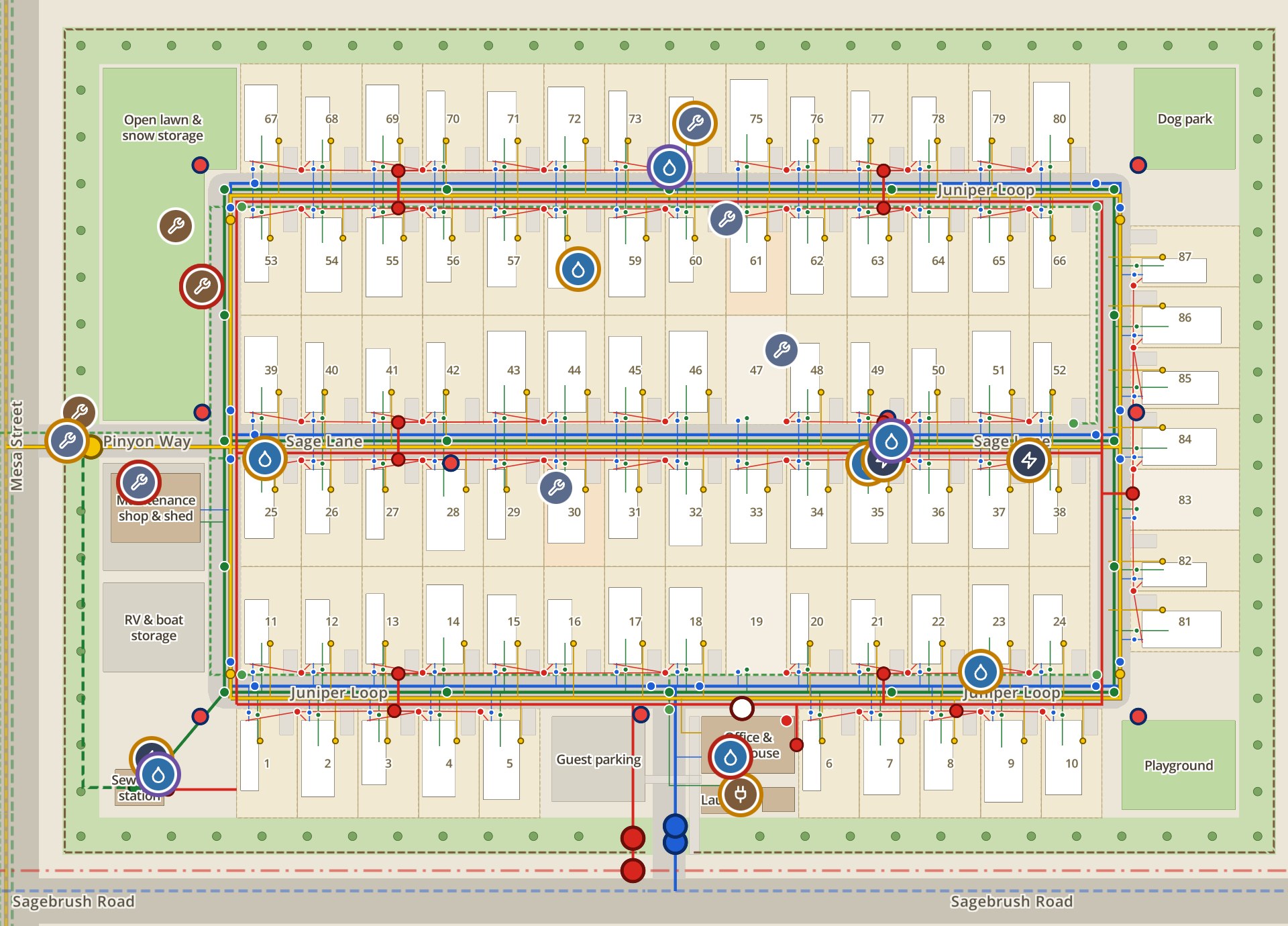
Most communities’ utility maps live in one long-time manager’s head. taskMap puts your community’s water, sewer, electric and gas lines, from the source to every lot, on the same map as your work orders. Techs find what they need, managers see what got done, and the history stays with the place. It works from your MRI, Yardi or Entrata exports.
 1
2
3
4
- The 2 a.m. main breakEvery valve is on the map. Close V-12 and V-15 and 28 homes lose water instead of all 87.
- Dig safelyBefore anyone digs at lot 58, the crew sees the gas and electric lines beside the leak, and the 811 locate is part of the task.
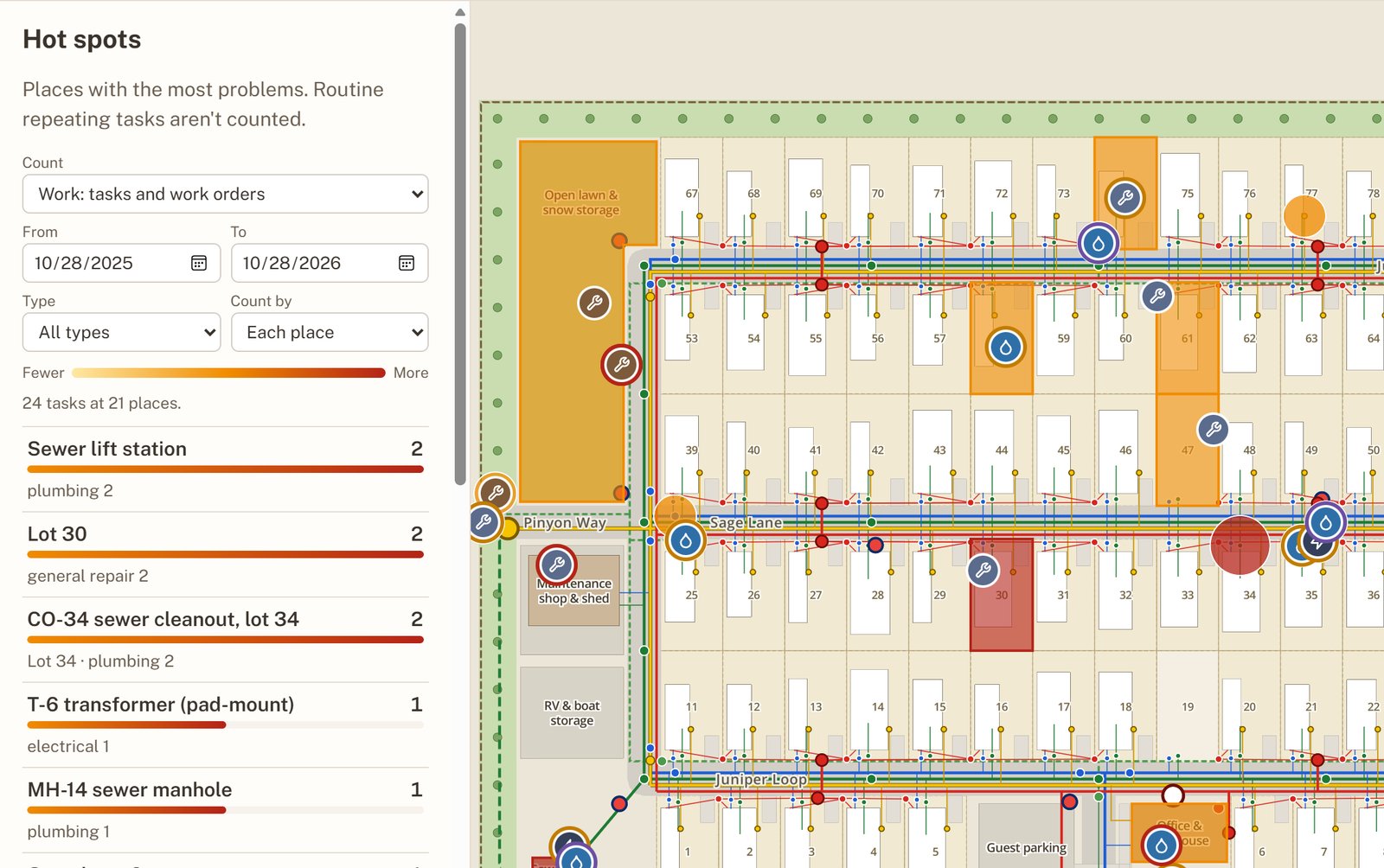
- Problems that keep coming backTwo sewer backups at lot 34 in two months: hot spots flag it, and the camera quote is waiting for approval.
- Maintenance on the recordLift station checks, valve exercising, hydrant flushing and the gas leak survey, logged by date. It’s the history lenders and buyers ask for in due diligence.
Built for the whole team
One map, three ways in. Nobody needs training to find the right lot.
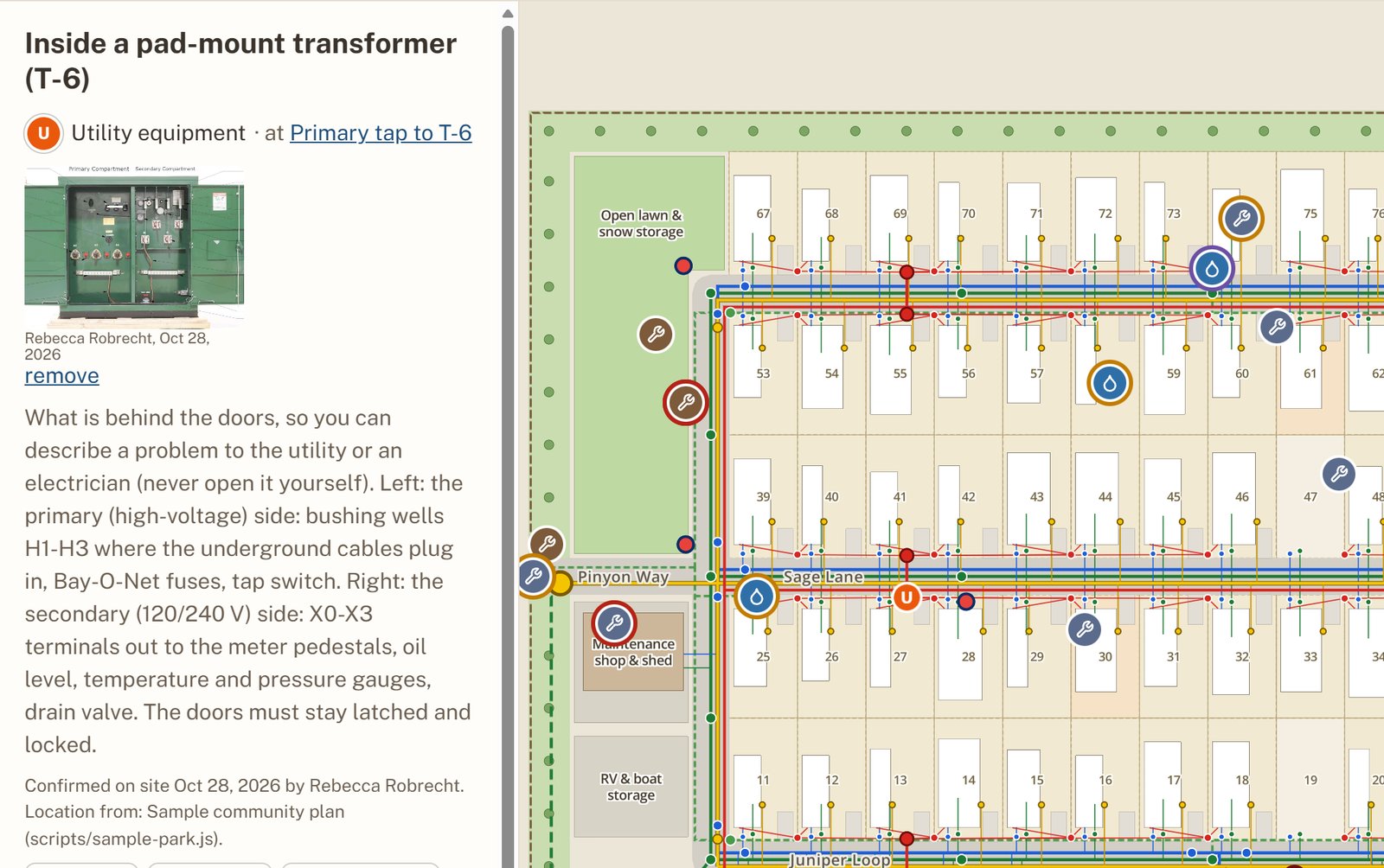
TechsA pin and a photo show what to fix and where. The field guide shows what’s underground and how to shut it off.
ManagersClosing a task takes a photo, with GPS checked against the place. See what’s done without a drive-out.
ResidentsScan a QR label, add a photo, send. No login. It lands on the exact lot.
See it in the app
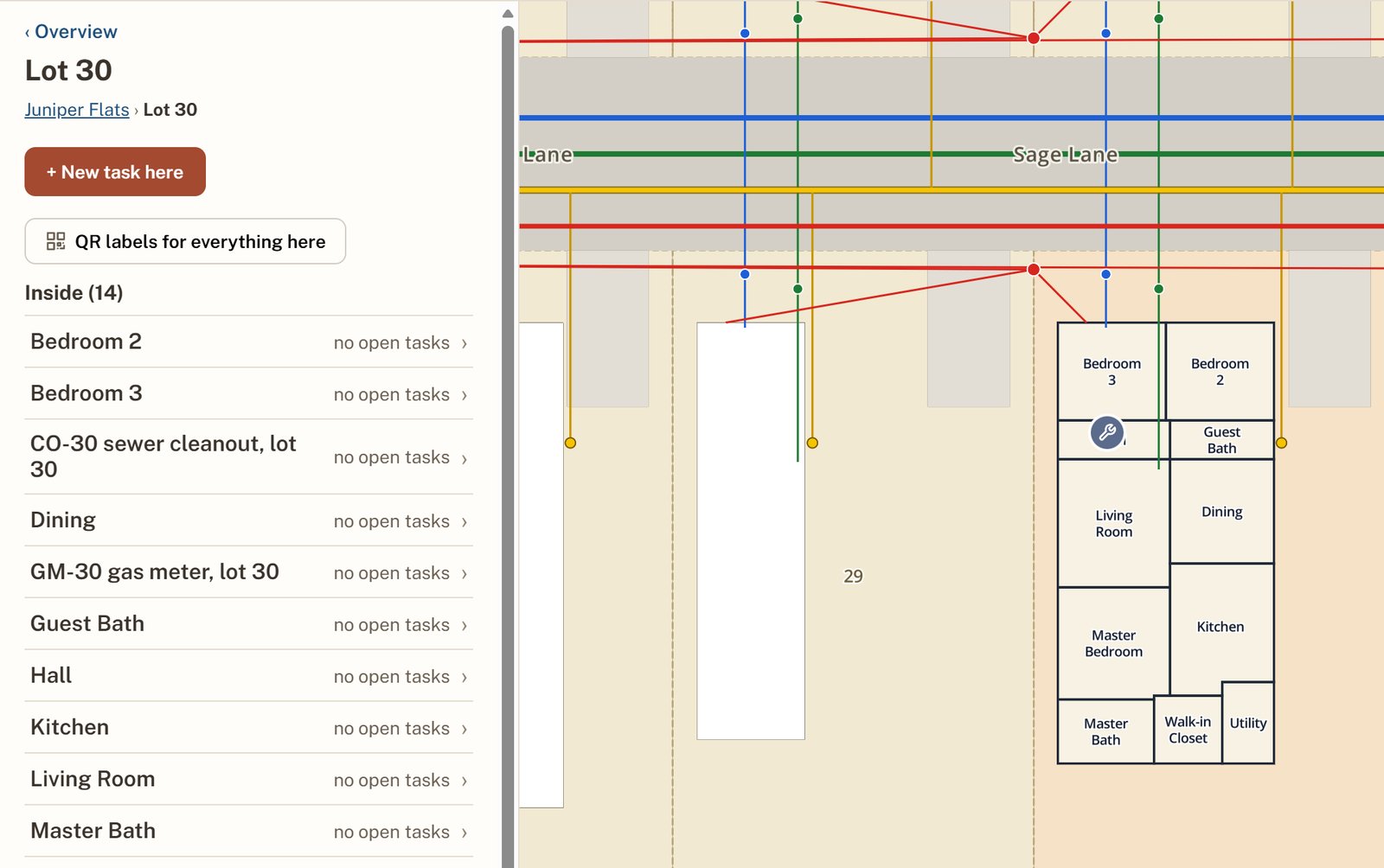
Click a lot to open the home, then a room. Every task, repair and photo stays with the place it happened.
How it starts
- 1Pick the numbers.The measures and views each team watches.
- 2Share the exports.Work orders and your lot list from MRI, Yardi or Entrata, plus any site or utility plans you have.
- 3Your map, built.Lots, homes and utility lines from the source to every lot, matched to your import and export columns.
- 4It stays current.Refreshed from regular exports.
Pricing: Book a demo for pricing.
See taskMap on a sample community.
A 15-minute demo, then a map fitted to how your team works.